


Make work flow.
Give people time back.
Designed around your process. Governed around your people.
Process discovery

Workflow design
Integration
AI + RPA
Human oversight
Continuous improvement
Automation is bigger than the task.
Most organizations have automated isolated activities. The greater opportunity is to redesign how work moves from the first request to the final outcome.


FRICTION
Manual handoffs slow everything down.
Email approvals, follow-ups and rekeying create queues that are difficult to see and harder to manage.


FRAGMENTATION
Work crosses too many systems.
Legacy applications, spreadsheets and disconnected tools force teams to bridge gaps manually.


REPETITION
Skilled people repeat predictable work.
Routine data entry, validation and reporting absorb time that could be spent on judgement and service.


BLIND SPOTS
Exceptions surface too late.
Without process visibility, teams struggle to find bottlenecks, root causes & the next best improvement.

We start with three questions:
Where is work stuck?
Where is it repeated?
Where does it require better judgement?
One capability. Six connected disciplines.
Persivate combines process design, automation technology and operational governance to improve the complete workflow not just automate a click.
Process discovery & intelligence

Workflow orchestration
Robotic process automation
Intelligent document processing
AI-powered automation
Automation operations
See the work before changing it
Process discovery & intelligence
Build a shared view of how work actually flows. We identify bottlenecks, exceptions, dependencies and automation candidates before choosing the technology.


Process mapping and mining
Bottleneck analysis
Automation opportunity assessment
Root-cause insights
Coordinate the complete journey
Workflow orchestration
Design connected workflows that move tasks, data, decisions and approvals across teams and systems with clear ownership.

Workflow and case design
Rules and approvals
SLA and escalation paths
Cross-functional orchestration
Automate structured, repeatable work
Robotic process automation
Use fit-for-purpose automation for high-volume, rules-based activities integrated into the broader process and managed for change.

Data entry and reconciliation
File and report processing
System updates
Legacy workflow support
Turn documents into usable information
Intelligent document processing
Classify, extract and validate information from documents, then route uncertain cases for human review.

Document classification
OCR and data extraction
Validation and entity recognition
Exception routing
Add context and judgement
AI-powered automation
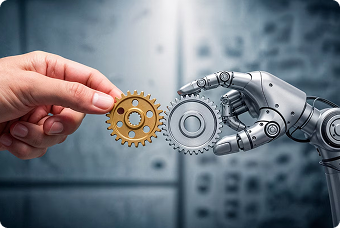
Embed AI into defined workflow steps to understand requests, support decisions, draft outputs and trigger governed actions.
Intent classification
Decision support
Content generation
Agent-assisted execution
Keep performance visible
Automation operations & optimization
Monitor workflows, manage exceptions and use operational signals to improve performance as processes and systems change.

Performance monitoring
Exception operations
Control and audit support
Continuous improvement
Intelligence that moves work forward.
AI adds value when it performs a clear role inside a governed process. Select each step to see how intelligence becomes action.
Classify
Understand intent
Extract
Capture information
Decide
Apply rules + context
Generate
Create a response
Act
Complete the next step

Classify Incoming Work
Interpret requests, documents or messages and route each item to the right workflow with the right priority.

Extract The Useful Information
Capture relevant fields and entities, validate them and flag uncertainty before downstream use.

Support The Next Decision
Combine business rules with approved context to recommend a route, response or escalation.

Generate A Fit-For-Purpose Output
Draft summaries, messages or documents inside a controlled workflow for review where needed.

Take A Governed Action
Update systems, launch the next task or complete a transaction with the appropriate controls and audit trail.
From process friction to a system that improves.
We connect design, engineering and change adoption in one practical sequence then measure performance to identify what comes next.
Map
Simplify
Automate
Integrate
Augment
Govern & improve
STAGE 01
Map the work.
Create a fact-based view of the current process, including systems, decisions, delays, exceptions and handoffs.

Current-state Workflow

Baseline Measures

Exception Patterns

Opportunity Backlog
STAGE 02
Simplify first.
Select the right automation pattern for each stable, repeatable activity and design for resilience.

Lean Process Redesign

Rule Clarification

Role Alignment

Future-state Blueprint
STAGE 03
Automate the predictable.
Remove unnecessary steps, clarify rules and redesign handoffs before encoding complexity into automation.

Workflow Configuration

RPA Where Appropriate

Document Automation

Reusable Cmponents
STAGE 04
Connect the systems.
Move data and actions across the applications involved in the process using suitable integration methods.

API And Platform Integration

Legacy Connectivity

Data Validation

End-to-end Testing
STAGE 05
Augment with AI.
Move data and actions across the applications involved in the process using suitable integration methods.

AI task design

Human Review Thresholds

Grounded Context

Responsible Controls
STAGE 06
Govern and improve.
Launch with ownership, controls and measurement then use workflow evidence to prioritize ongoing improvements.

Operational Dashboards

Control Monitoring

Adoption Support

Improvement Roadmap
Start where operational friction is highest.
The same architecture can support focused workflows across functions while preserving the controls, context and human judgement each one needs.
Finance
HR
Customer Service
Supply Chain
IT
Sales & Marketing
Move from transaction queues to exception-led work.
Connect documents, approvals, policies and enterprise systems so finance teams can focus attention where it changes the outcome.
Invoice Intake & Validation

Reconciliations & Close Support

Personalized Experiences

Reporting & System Updates

Create a more connected employee journey.
Coordinate requests, documents and approvals across key moments while keeping sensitive decisions with the right people.
Employee Onboarding

HR Request Routing

Document Collection

Access & Approval Workflows

Resolve requests with context, speed and control.
Understand incoming needs, gather relevant information and orchestrate the response across channels, teams and systems.
Request Classification

Case Routing

Agent Assistance

Response & Follow-Up Workflows

Keep orders, documents and exceptions moving.
Connect information across suppliers, operations and enterprise systems while making delays and exceptions visible.
Order Processing

Document Validation

Inventory Updates

Exception & Escalation Workflows

Orchestrate service work across the IT landscape.
Automate routine requests and enrich incidents so specialists can focus on complex diagnosis and remediation.
Service Request Fulfilment

Incident Enrichment

User Provisioning

Monitoring & Notification Flows

Reduce the distance between interest and action.
Connect lead, content and campaign workflows so teams receive cleaner information and more timely next steps.
Lead Intake & Routing

CRM Data Updates

Proposal Workflows

Campaign Operations

Measure the workflow, not the promise.

Less Repetitive Effort
Track manual touches, rework and time spent on routine activities.

Faster Cycle Times
Measure how quickly work travels from request to resolution.

More Consistent Execution
Monitor policy adherence, data quality and exception patterns.

Clearer Operational Visibility
Make queues, owners, service levels and bottlenecks easier to see.

Faster Cycle Times
Measure how quickly work travels from request to resolution.

More Consistent Execution
Monitor policy adherence, data quality and exception patterns.

Connected Capabilities
Automation works better as part of the enterprise.
Bring the right data, applications and intelligence together around the process you want to improve.
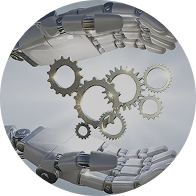
Artificial Intelligence & Gen AI
Move from AI experimentation to production-ready capabilities embedded in real work.
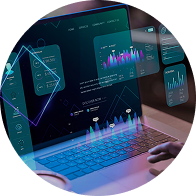
Enterprise Platforms
Connect core platforms and workflows so information and action move together.

Data & Analytics
Turn operational signals into visibility, decisions and continuous improvement.
Frequently Asked Questions
The practical questions, answered.
What is intelligent automation?
Intelligent automation combines workflow design, integration, RPA, AI and process intelligence to coordinate end-to-end work. It can automate predictable steps, assist decisions and route exceptions to people.
How is intelligent automation different from RPA?
RPA is one useful component, typically handling structured, rules-based tasks. Intelligent automation looks at the whole process and can include orchestration, documents, APIs, AI, human approvals and ongoing measurement.
Can you automate workflows across legacy systems?
Often, yes. The right approach depends on the system and risk profile. We assess available APIs, integration options, user-interface automation and control requirements before recommending an architecture.
Where do people remain involved?
People remain central where judgement, accountability, empathy or exception handling matters. Approval thresholds and escalation paths are designed into the workflow rather than added as an afterthought.
How do we choose the first process?
We look for a useful combination of business value, process stability, data readiness, technical feasibility and manageable change. A focused discovery establishes the baseline and prioritizes a practical roadmap.
Find the work worth automating.
Start with a focused conversation about one workflow, its friction points and the outcome you want to improve.
Talk to an Engineer,Not
a Salesperson
Tell us what you're trying to build, migrate, automate, or keep running. You'll get a 30-minute call with someone who has shipped systems like yours, and an honest answer about fit.
Our work has thrived across borders.


Chat with Our Team


22 A, Takli Seem, Nagpur 440036
8 The Green STE A, Dover, Delaware, USA 19901
Address
Get in Touch
No newsletter. No drip campaign. A reply from a real person within one business day.